Write an identity the companion can use
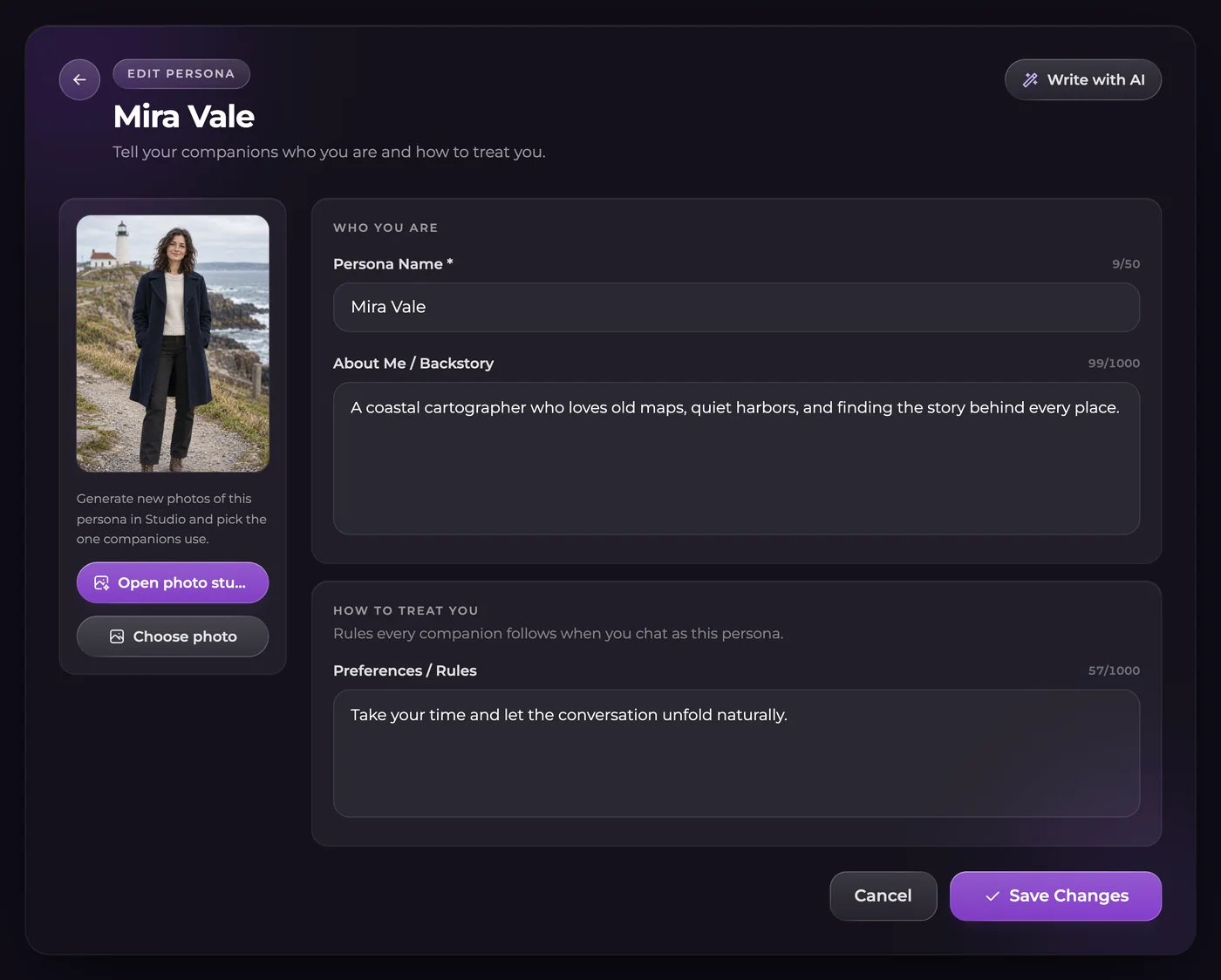
Open Personas and create a role with a name and backstory. Use Preferences or Rules for how you want interactions handled. For example, a fictional landscape photographer might be visiting a remote village, enjoy early walks and prefer direct conversation. Those details introduce a role without scripting every future event.
Put lasting identity details here rather than the complete transcript of one adventure. A current mystery or a promise made during a particular chat belongs with that story's continuity. Keeping these separate makes later changes easier to understand.
You can use a fictional adult identity instead of personal biographical information. A persona shapes the conversation; it is not a privacy setting or a guarantee about how account data is processed.
Select the role for the conversation you are opening
One persona can be active per conversation. You can choose another for a different thread, so check the selection before continuing if your stories use different names and backgrounds. An explorer in one chat need not be the photographer in another.
Switching changes the context for future replies. It does not rewrite messages already sent or reset story memories. If the plot contains an important event associated with the old role, review that continuity instead of expecting the switch to erase it.
Editing persona text or switching the active persona does not spend Moments. That rule applies to the text controls, not every operation that can create or change an image.
Add an appearance only when the scene needs it
A saved persona photo lets supported image tools include your role visually. Choose an original fictional adult appearance, inspect the generated result and select the photo you want to save. Creating that appearance does not create a new companion to talk to.
Check the displayed price and any eligible first-appearance offer before generating. Later Studio photos can have their own charges. In supported group images, the three-person total includes the persona. For a photo with two companions and your role, describe each person's position or action clearly rather than giving one ambiguous instruction to the whole group.
Questions and answers
Do I need Ultimate to use a persona?
Yes. Personas and persona photos are Ultimate features. They describe your role and are different from creating an AI companion.
Can separate chats use separate identities?
Yes. Choose the active persona for each conversation. Only one persona is active within a conversation at a time.
What happens to earlier messages when I switch?
They stay as written. The new persona affects future context; it does not rewrite the chat or clear its saved events.
Does the text setting make persona photos free?
No. Free text edits and switching are separate from appearance generation. Check the charge or eligible offer before making a photo.