
Start with a picture and a manageable movement
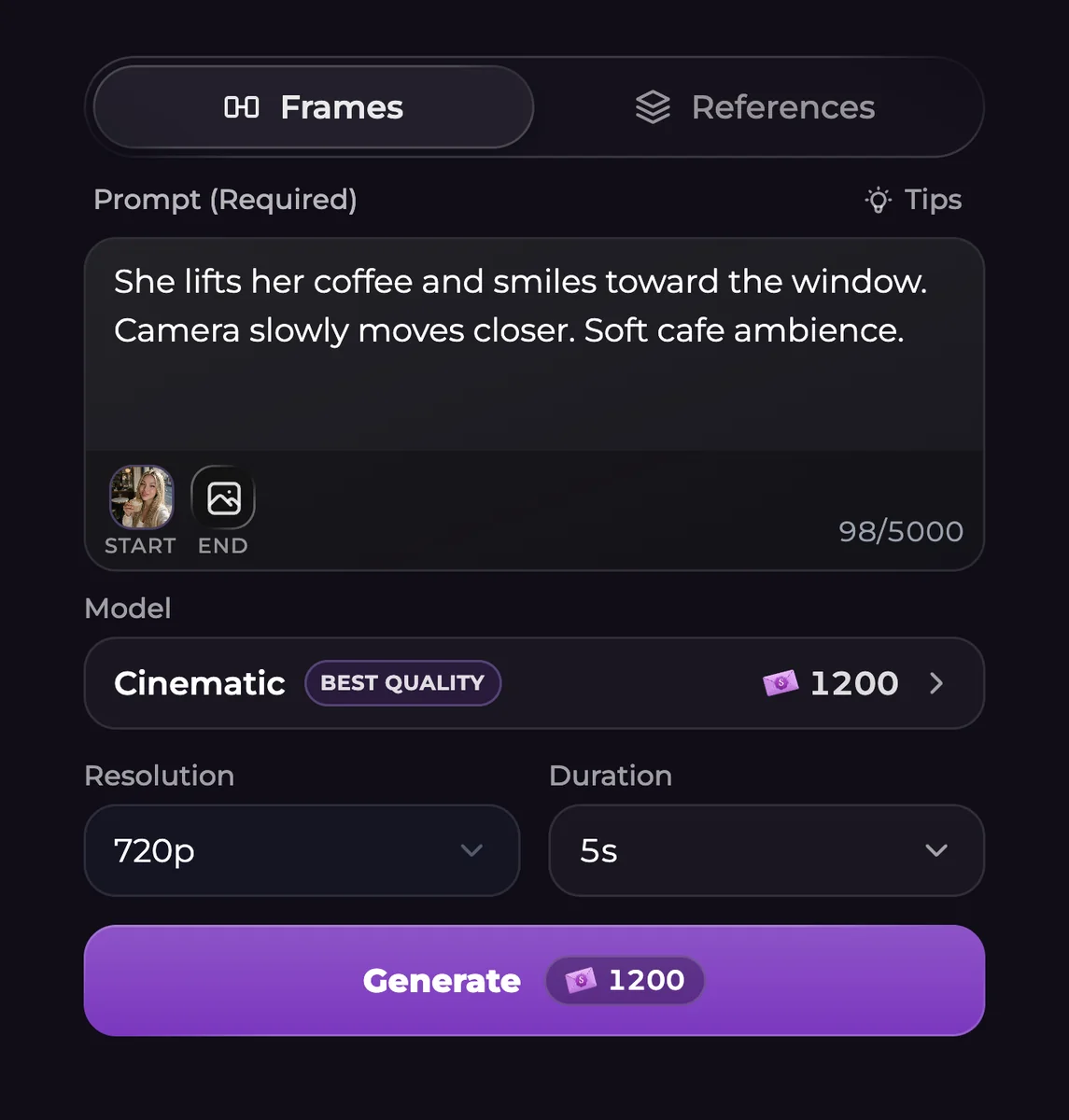
Choose Video in Generate, or open an existing gallery picture and select Create Video. In Frames, the source becomes the Start frame. Explain the subject's movement, the camera movement and any dialogue or background sound you want.
For example, a fictional companion could straighten a paper map on a table while the camera moves slowly overhead. Keeping the first attempt to one action makes it easier to identify which part of the motion needs changing.
Select a model before setting the clip length
Intimate offers a Turbo option; Cinematic offers Fast. Everyday and Basic are also in the model menu, with Classic under More models. Their controls are not interchangeable. Switching models can change unsupported settings, so inspect the duration, resolution and references again afterward.
The ranges below belong to individual models. A five-second pricing example is neither a universal clip length nor a fixed price for every request.
| Video option | Available resolutions | Duration range | Audio setting |
|---|---|---|---|
| Cinematic | 480p, 720p, 1080p or 4K | 4-15 seconds | Audio included |
| Cinematic Fast | 480p or 720p | 4-15 seconds | Audio included |
| Everyday | 480p or 720p | 4-15 seconds | Audio included |
| Intimate / Turbo | 480p, 720p, 1080p or 4K | 4-30 seconds | Audio included |
| Basic | 480p or 720p | 4-15 seconds | Audio included |
| Classic | 480p, 720p or 1080p | 4-12 seconds | Audio optional |
Check the charge, then inspect the finished clip
Video creation requires Premium or Ultimate and enough Moments for the selected request. Read the final Generate total after choosing the model, speed option and settings. A text subscription does not remove the media charge.
Play the result with sound, inspect its ending and download it if you want to keep a local copy. Motion, appearance and sound can depart from your instructions; a completed generation is not a guarantee that every detail is correct.
Questions and answers
Can I animate a picture already in my gallery?
Yes. Create Video brings a supported gallery image into the video form so you can describe its movement.
Which options let me choose the final frame?
Models with end-frame controls let you supply an ending image. Classic does not provide the same Frames and References choices.
Will my generated video include sound?
The listed models include audio except Classic, where it is optional. Switching Classic audio off reduces its price.
Can a Free account generate videos?
Video generation requires Premium or Ultimate plus Moments. Free text messages and free Shorts episodes are separate allowances.